AI-Powered Automation

Mail2Cal

Stop Copying Meeting Details From Email to Calendar

Works in any language. Detects Zoom, Meet, and Teams links automatically.

Someone confirms a meeting over email. Now you have to open Google Calendar, create an event, and copy the details by hand. Mail2Cal reads the email and does it in one click.

Early Access. 100% free during beta. Pricing may apply in the future.

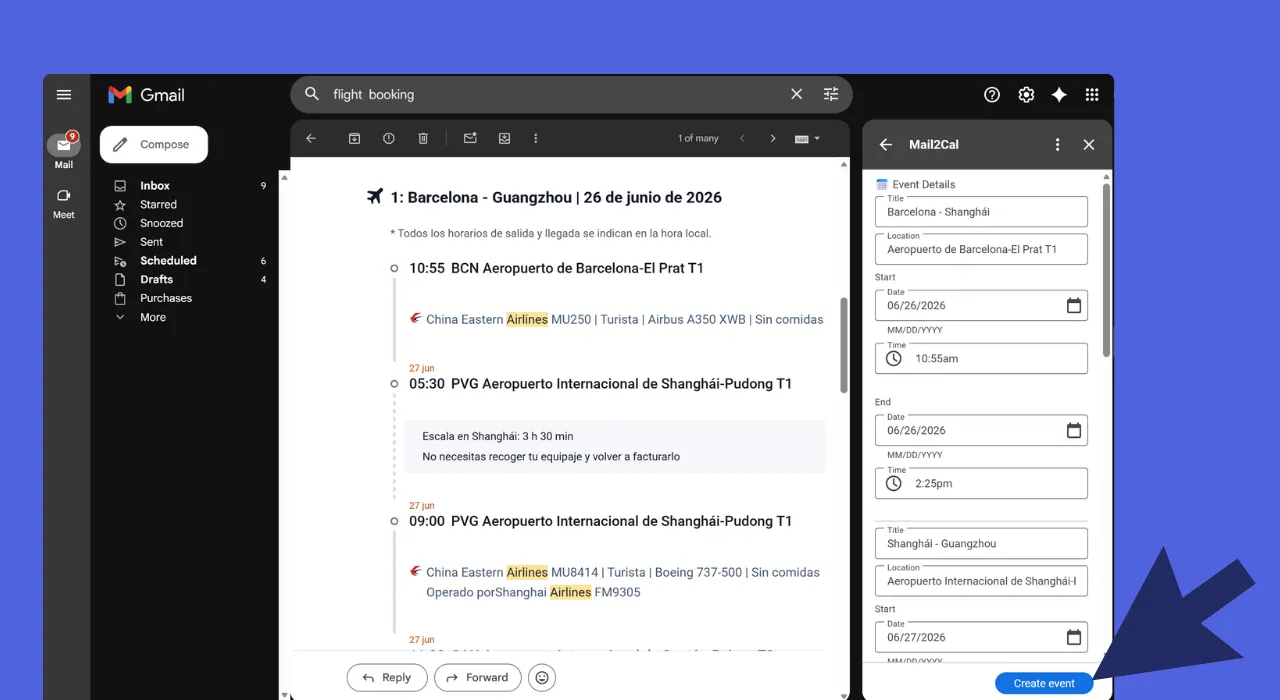
Mail2Cal Gmail add-on extracting flight itinerary events from an email into the sidebar

Mail2Cal extracts multiple events from a single email, like a full flight itinerary.

Before and After Mail2Cal

Without Mail2Cal

  • Copy dates and times from emails by hand
  • Miss meeting times buried in long threads
  • Forget to add the Zoom or Meet link
  • Create duplicate events from repeated mentions
  • Waste hours every week on calendar admin

With Mail2Cal

  • AI extracts dates, times, and meeting details
  • Understands "next Tuesday at 2pm" in any language
  • Meeting links added to the event automatically
  • Review before syncing. Nothing happens without you
  • Reclaim hours every week

How It Works in 3 Steps

1

Open Any Email

Open an email with meeting details. Mail2Cal appears in the Gmail sidebar.

2

AI Extracts the Details

Gemini reads the email and pulls out date, time, location, and meeting links automatically.

3

One Click, Event Created

Review the details, click create. The event appears in your Google Calendar instantly.

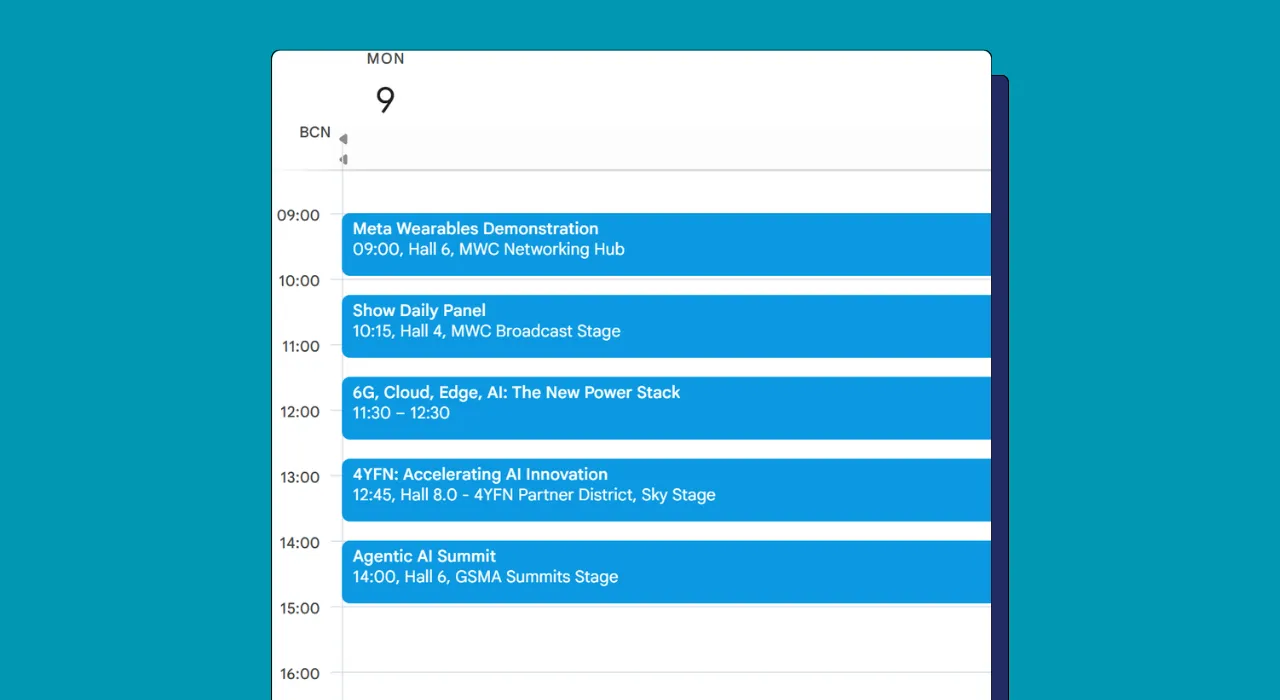
Google Calendar populated with multiple events automatically extracted by Mail2Cal from a single email

Multiple events created from a single email. An entire itinerary lands in your calendar at once.

What Mail2Cal Does

Reads Emails Like You Do

Handles informal language, multiple languages, and messy forwarded threads. Gemini AI understands context the way you do, even with typos or unusual phrasing.

One-Click Sync

Review the extracted details in the Gmail sidebar and create the calendar event instantly. Full control over what gets created. Nothing happens without your approval.

Never Lose a Meeting Link Again

Zoom, Google Meet, and Teams links are detected and added to the calendar event automatically. No more digging through emails two minutes before a call.

Ready to save time?

Free during early access. Install in seconds, no credit card required.

Install from Marketplace

Frequently Asked Questions

How accurate is Mail2Cal at detecting dates and times?
Mail2Cal uses Google Gemini AI to understand natural language with 95%+ accuracy. It recognizes various date formats, relative times ("next Tuesday"), and timezone information. When ambiguous, it flags the event for your review before creating it.
Does Mail2Cal work with all email formats?
Yes! Mail2Cal handles plain text, formatted HTML emails, and even extracts meeting links from forwarded invitations. It automatically detects when emails contain meeting links from Google Meet, Zoom, Teams, and other providers.
Can I control which emails get converted?
Absolutely. You have full control over which emails to process. Mail2Cal never automatically syncs without your explicit action. You can review all extracted details before the calendar event is created.
Is my email data secure?
Your privacy is paramount. Mail2Cal only processes emails you explicitly select. Data is sent securely to Google Gemini AI for analysis and is never stored on our servers or used to train AI models.
Can Mail2Cal detect meeting links automatically?
Yes! Mail2Cal automatically detects and extracts meeting links from Zoom, Google Meet, Microsoft Teams, and other platforms, adding them directly to your calendar events.
What happens if I want to stop using Mail2Cal?
You can uninstall Mail2Cal anytime through the Google Workspace Marketplace. Previously created calendar events remain in your calendar. Simply revoke access through your Google Account settings.

Every Meeting Created Manually Is Time Wasted

Mail2Cal is free during early access. Install it, open an email with a meeting, and let AI handle the rest.

Install from Marketplace